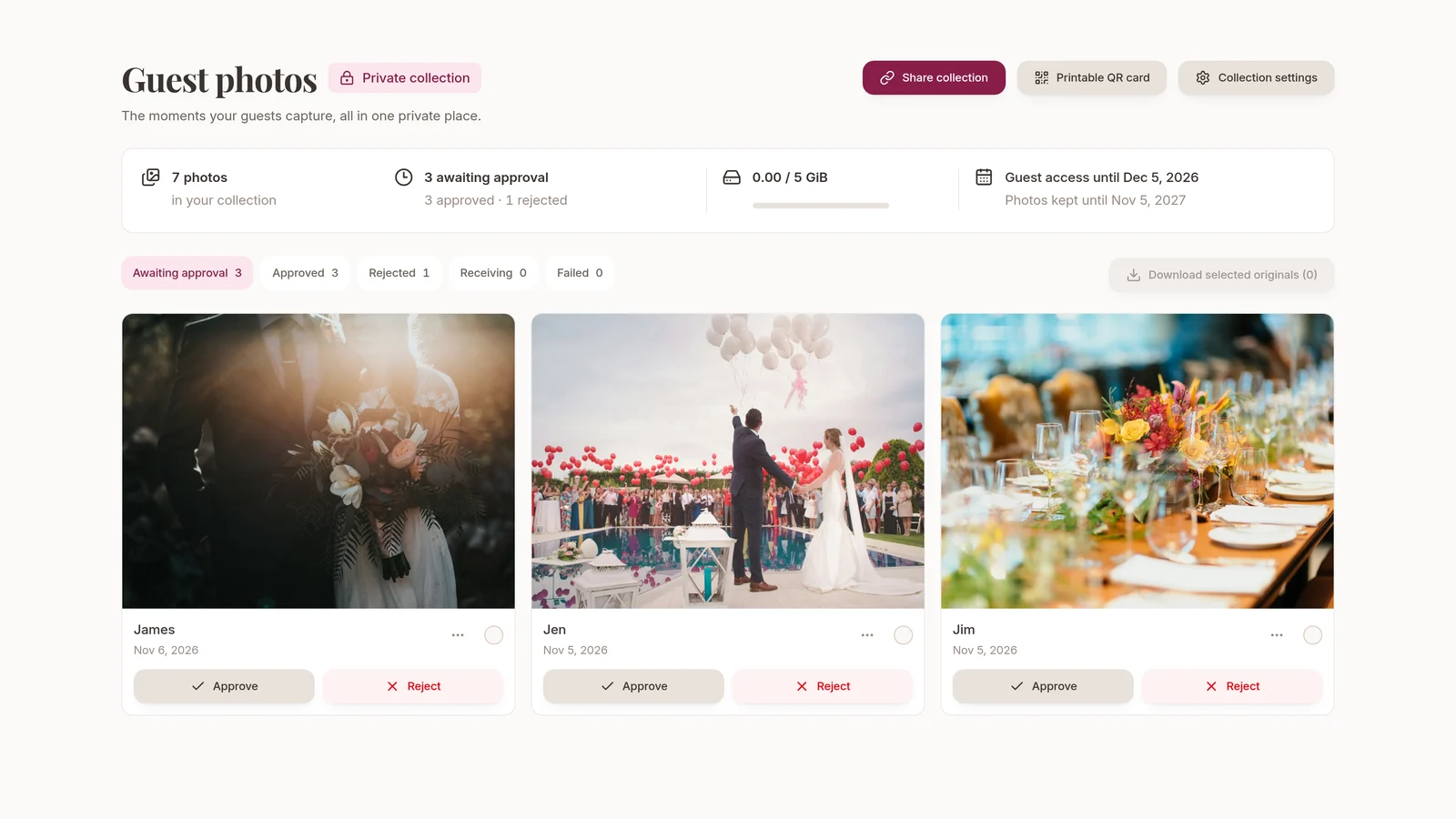
Your guests catch parts of the wedding you might otherwise miss. A photo while everyone’s getting ready, a conversation across the table or a moment on the dance floor can end up scattered across phones and group chats.
We’ve added Guest photos to Wedlock Complete, so you can bring those pictures together in a private wedding collection. Guests upload from their phones, and you decide which photos to share with everyone else.
One QR card for everyone
Enable your collection and share its private link, or print the shared QR card to put on your tables. Guests can scan it with their phones and choose photos to upload without creating a Wedlock account. Adding their name is optional.
It’s one link for the collection, not a separate invitation for each person. Anyone with that link or QR card can use it, so share it with the people you want to contribute and ask them not to pass it on publicly.
Review photos before sharing them
Every upload needs your approval. Guest viewing is off by default, so you can collect and review photos without opening a gallery for everyone else.
If you choose to allow guest viewing, guests with access can see the photos you’ve approved. Pending and rejected photos don’t appear in that shared view.
The collection is separate from your public wedding website gallery. Approving a photo never automatically publishes it to your website.
Save the originals you want to keep
You can download individual originals or select photos for a ZIP download. Each ZIP selection can contain up to 100 photos totalling no more than 250 MiB, so you may need more than one download for a large collection.
Guest downloads are a separate choice from guest viewing. They’re off by default too. If you enable them alongside viewing, guests with access can download individual approved originals.
Displayed previews have camera and location metadata removed. Originals may still contain that information, including GPS location, so consider this before enabling guest downloads or sharing originals elsewhere. Turning downloads off later won’t remove copies someone has already saved.
Keep control of access
The collection owner can pause new uploads, replace the sharing link or revoke guest access. Replacing the link stops the old link and QR cards from working, so you’ll need to share the replacement and reprint any cards you still want to use.
Guests can also withdraw their own submissions from the browser they used to upload, while their access remains valid.
A collection with clear limits and dates
Guest photos is included in Complete, with room for up to 2,000 photos or 5 GiB of storage, whichever is reached first. Each file can be up to 10 MiB and 16 megapixels.
Supported formats are JPEG, PNG, static WebP and HEIC/HEIF. Video and the motion part of Live Photos aren’t supported. If a file exceeds the limits, choose a smaller still-image version before uploading. An original download is the file Wedlock received, which may differ from the full-resolution camera file on the guest’s phone.
Guest access closes 30 days after your wedding date, and collection photos are retained for 365 days after that wedding date. If you don’t have a future wedding date when you enable the collection, both periods run from the day you enable it instead.
You’ll see the dates before enabling. They’re fixed at that point; changing your wedding date later won’t extend them. Download the photos you want to keep before the retention period ends, and keep your own copies. Removing collection photos doesn’t promise instant erasure from backups.
Bring your guests’ photos together
Guest photos is part of your Complete plan. Enable your private collection and share the link or print the QR card before your guests arrive.
Compare Wedlock plans, or read about the wedding website builder if you’d also like a separate, curated gallery for your guests.