Wedding planning software comparison
Wedding planning spreadsheet vs Wedlock
A spreadsheet can help you make the first list. Wedlock helps when guests, RSVPs, seating, budgets, tasks, websites, and collaborators all need to stay connected.
Start planning freeQuick verdict
Spreadsheets help you start. Wedlock helps you finish.
A spreadsheet stores information. Wedlock connects the parts of the wedding plan that keep changing together.
Use a spreadsheet for the rough draft
It is fine for collecting early guest names, supplier ideas, and estimated costs before the plan has many moving parts.
Use Wedlock for the live plan
Move to Wedlock once people are replying, tasks have owners, payments have dates, and tables depend on the real guest list.
The difference is connection
Guest changes, RSVP changes, seating changes, and budget changes should not mean updating the same detail across several tabs.
Feature comparison
Where Wedlock replaces the spreadsheet workaround
A spreadsheet can describe parts of the plan. Wedlock is built to manage those parts as one connected wedding workspace.
| Capability | Wedlock | Spreadsheet |
|---|---|---|
| Best fit | A live wedding planning workspace | A rough first draft or private list |
| Checklist and timeline | Tasks, priorities, progress, and planning windows in one place | Manual rows, dates, filters, and reminders |
| Guest list | Guests, groups, RSVP state, dietary notes, and table assignment together | Separate columns that need constant updates |
| RSVP collection | Guest-facing RSVP links and live response tracking | Forms, messages, or manual chasing outside the sheet |
| Dietary notes | Stored against the guest and visible where planning needs it | Copied between guest, catering, and seating tabs |
| Plus-ones and groups | Guest relationships and groups stay attached to the record | Extra rows or notes that can drift from the main list |
| Table planning | Assign guests to tables from the same guest list | Manual table columns or a second planning file |
| Visual seating chart | Arrange tables on an interactive room map | Drawing tools, screenshots, or colour-coded cells |
| Budget tracking | Expenses, categories, vendors, payments, and due dates | Formula-driven totals that need careful upkeep |
| Supplier payments | Payment status and due dates stay visible beside each expense | Manual deadline tracking across columns or calendars |
| Wedding website | Share event details, schedule, travel, registry, FAQ, and gallery | Not included without another tool |
| Collaborators | Invite collaborators on Complete so everyone works in the same plan | Shared file access, comments, and accidental edits |
| Mobile planning | Built for checking and updating the plan while decisions happen | Possible, but awkward once tabs and columns grow |
| Change handling | One update can feed the planning area that needs it | Every change needs to be repeated in the right places |
| Guest-facing details | RSVPs and wedding website pages are part of the workspace | Requires separate forms, sites, or messages |
Questions
Spreadsheet comparison FAQs
Can Wedlock replace my wedding spreadsheet?
Yes. Wedlock is designed to replace the working spreadsheet for guests, RSVPs, seating, tasks, budgets, wedding websites, and collaborators.
Should I start with a wedding spreadsheet template?
You can use a spreadsheet template for the first rough list. Move into Wedlock once replies, payments, tasks, and seating changes need to stay connected.
Is a spreadsheet cheaper than Wedlock?
A spreadsheet is usually free, but Wedlock is free to start too. Complete is for couples who need unlimited tasks, guests, tables, expenses, and collaborators.
Can I still keep a spreadsheet for suppliers?
Yes. Some suppliers may ask for a simple export or copied list. Wedlock should be the live planning source, and supplier lists can be created from the current plan.
When should I move away from spreadsheets?
Move when the same information appears in more than one place: guests and RSVPs, guests and tables, budget and payment dates, or tasks and collaborators.
Choose the right setup
A spreadsheet works for a first pass. The live plan needs a workspace
A spreadsheet can hold wedding data. The problem is keeping the plan usable when those details change every week.
Spreadsheet
Works for early planning notes
Good enough for a private first pass: guest ideas, rough budgets, supplier links, and notes you are not ready to organise yet.
Wedlock
Built for the plan you keep using
Better once the guest list affects RSVPs, RSVPs affect seating, seating affects the room plan, and payments affect the budget.
Where spreadsheets break
The hard part is keeping every tab in sync
Most wedding spreadsheets start neatly. They get harder when replies, payments, table assignments, meal choices, and family questions all arrive at once.
- Guest details drift A guest can be attending in one tab, unseated in another, and missing from the catering notes if every update is manual.
- RSVP changes create follow-up work Every yes, no, plus-one, and dietary note has to be copied into the right rows before the plan is trustworthy again.
- The spreadsheet cannot help guests Guest-facing RSVPs, wedding website details, FAQs, travel notes, and schedules need another tool unless they live in Wedlock.
Connected tools
The planning jobs that should not live in separate tabs
Wedlock brings the most change-heavy parts of wedding planning into tools that know about each other.
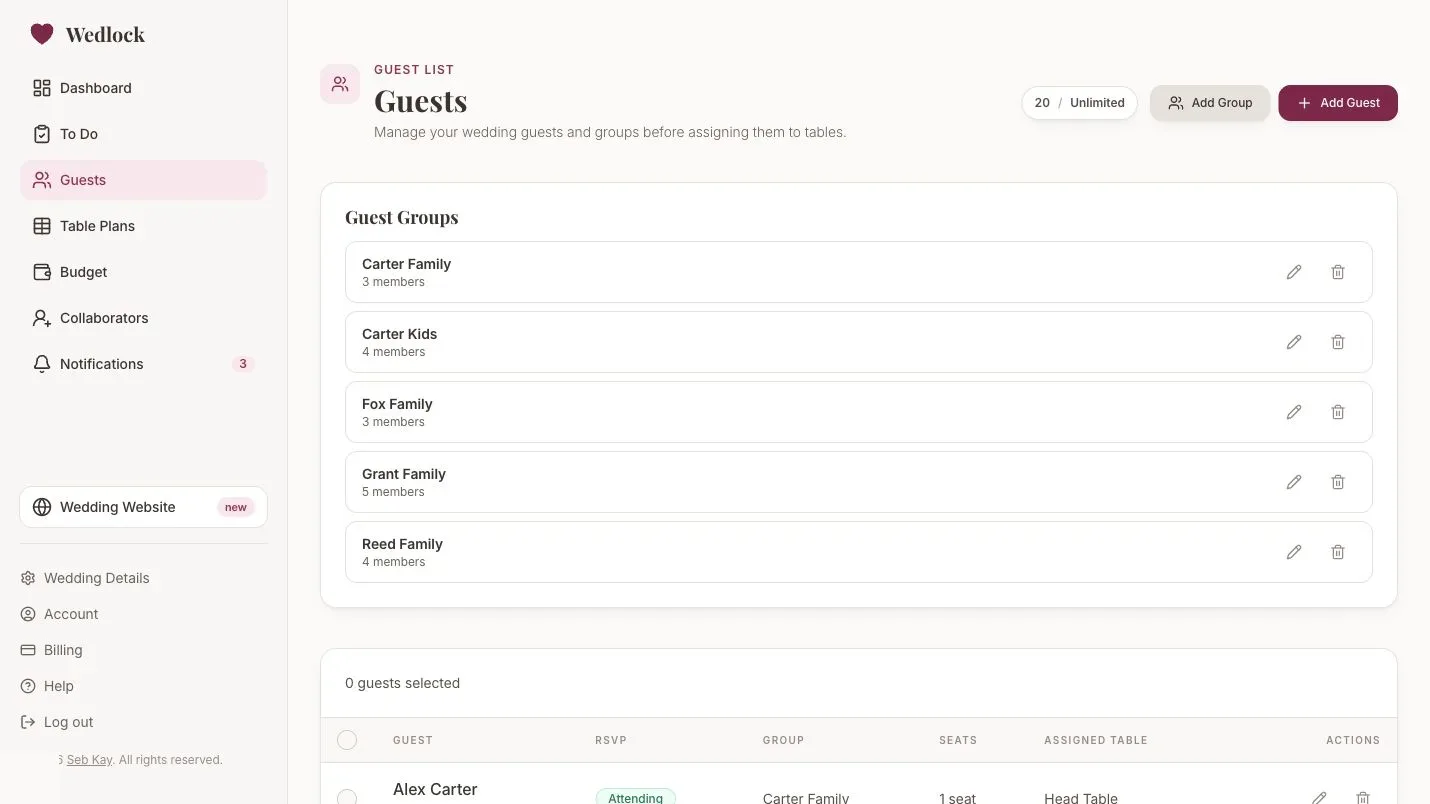
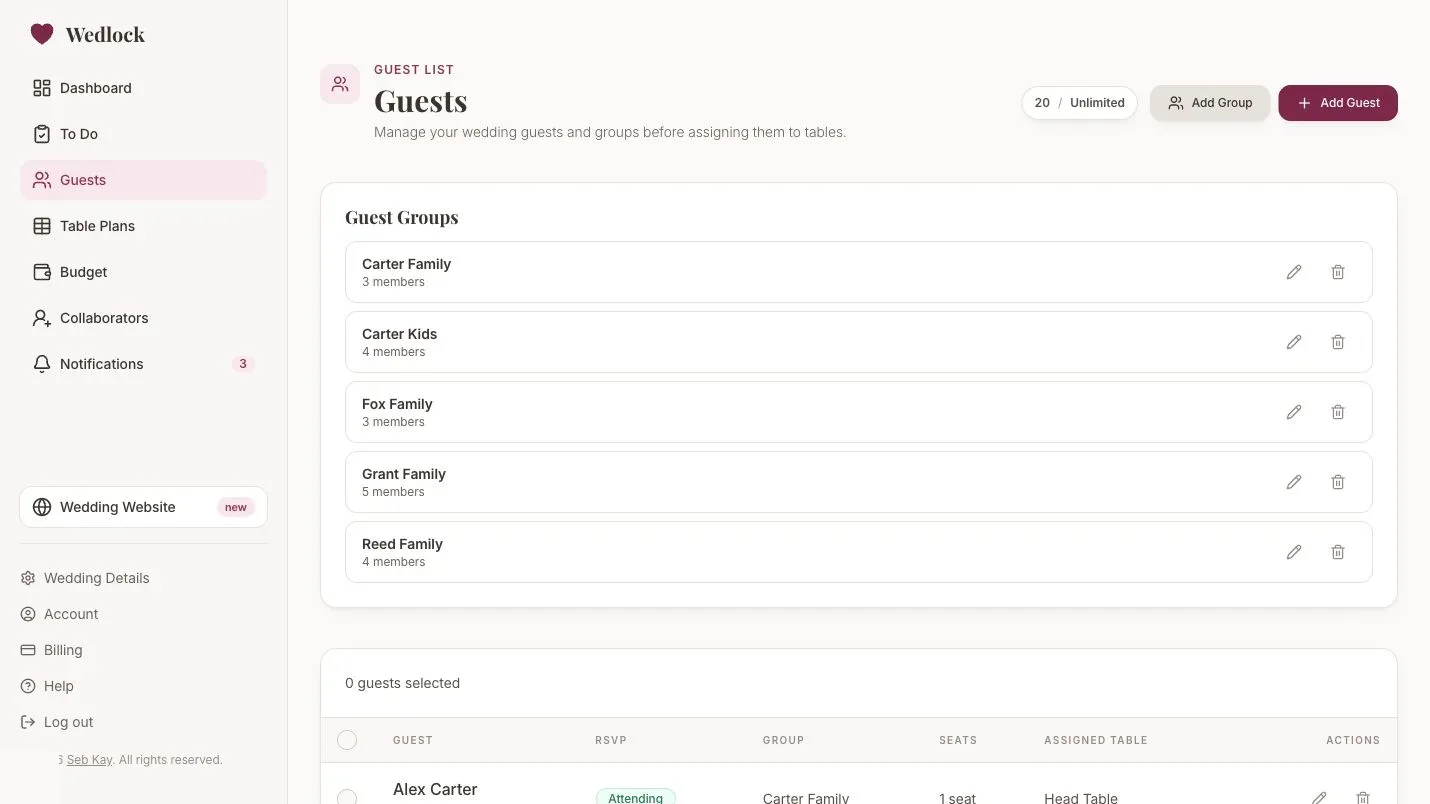
Guest List
Keep names, groups, RSVP state, dietary notes, and table assignment connected.
Learn more
Online RSVPs
Collect replies through Wedlock instead of manually updating cells from texts and emails.
Learn more
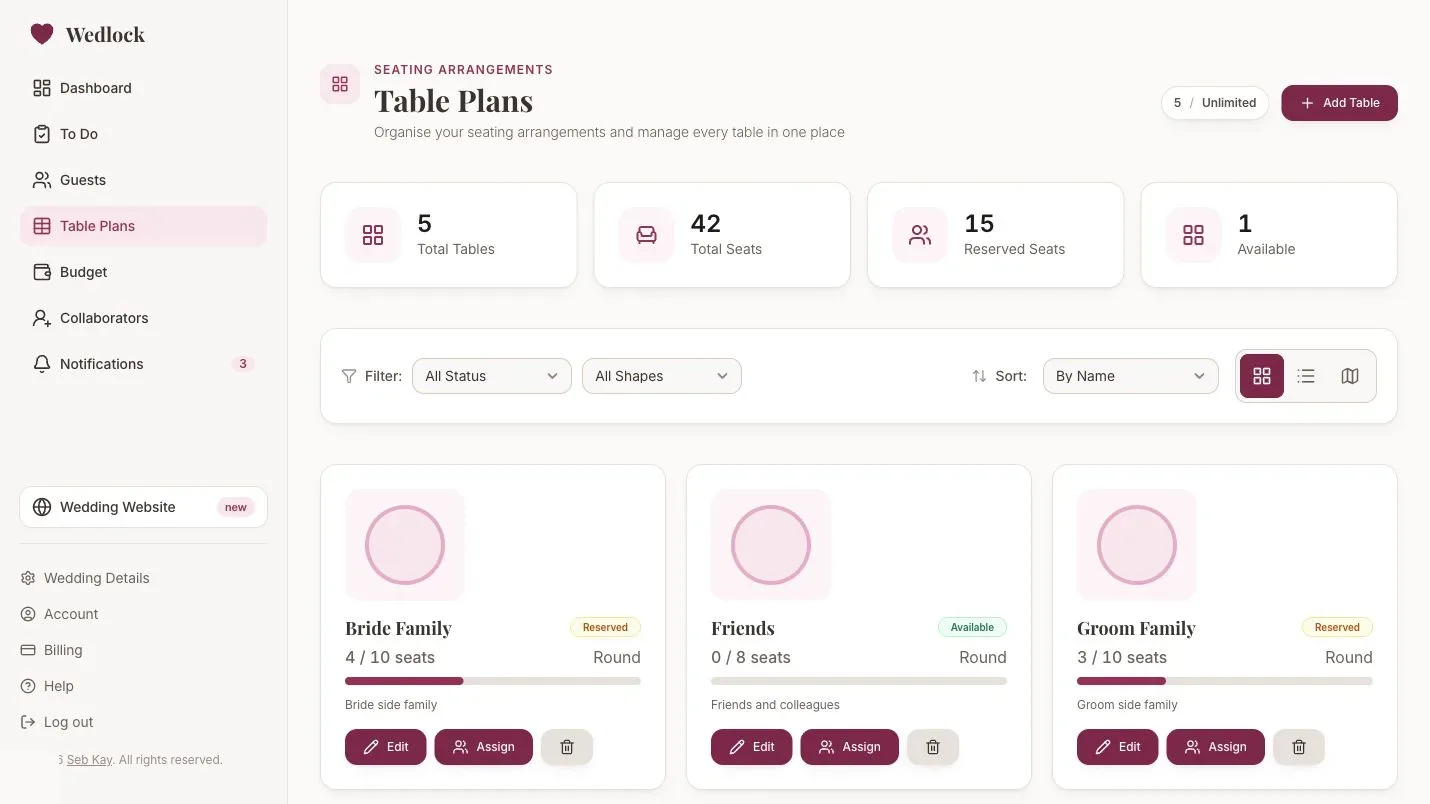
Table Planner
Build tables from the live guest list without duplicating names into another file.
Learn more
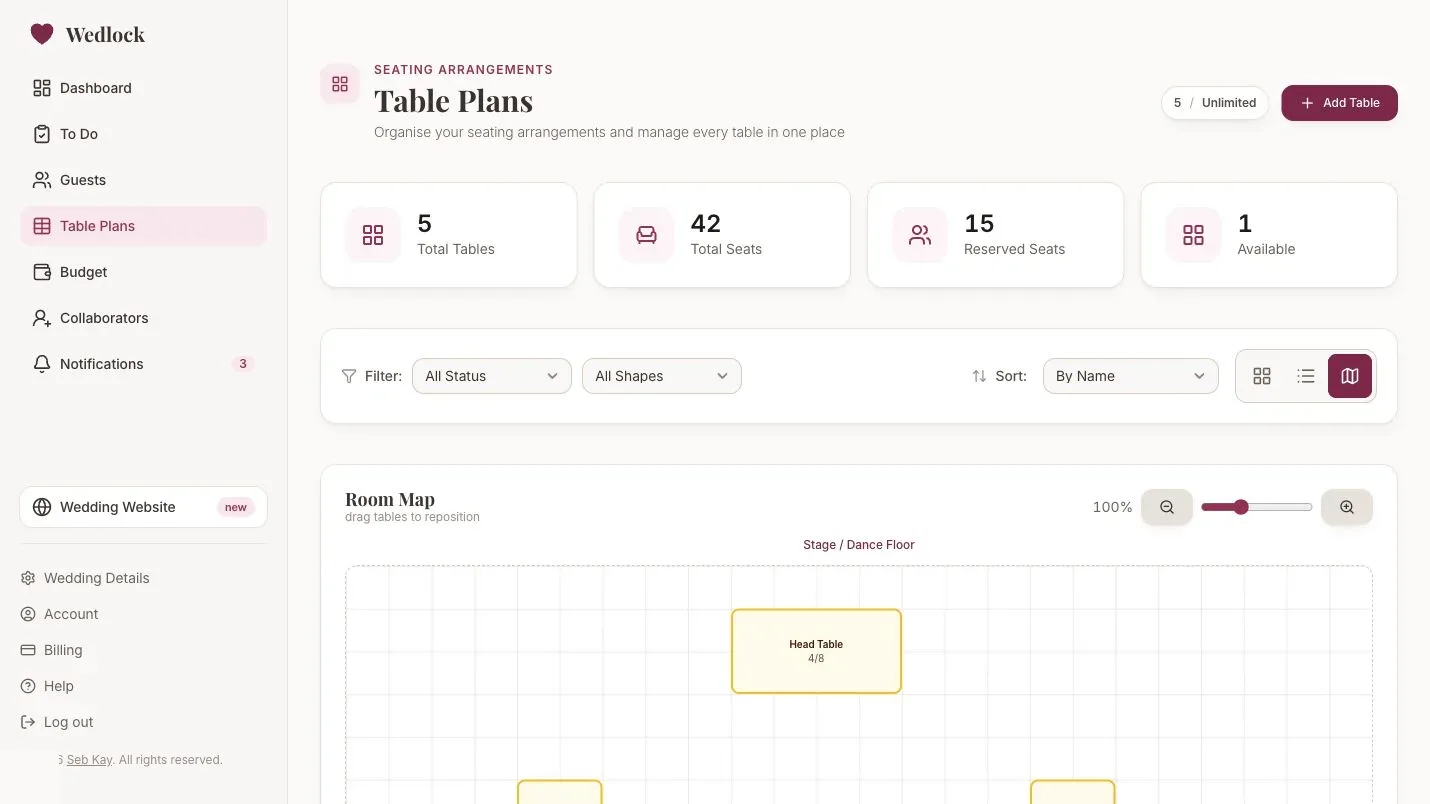
Seating Chart
Move from lists to a visual room map when the seating plan starts changing.
Learn more
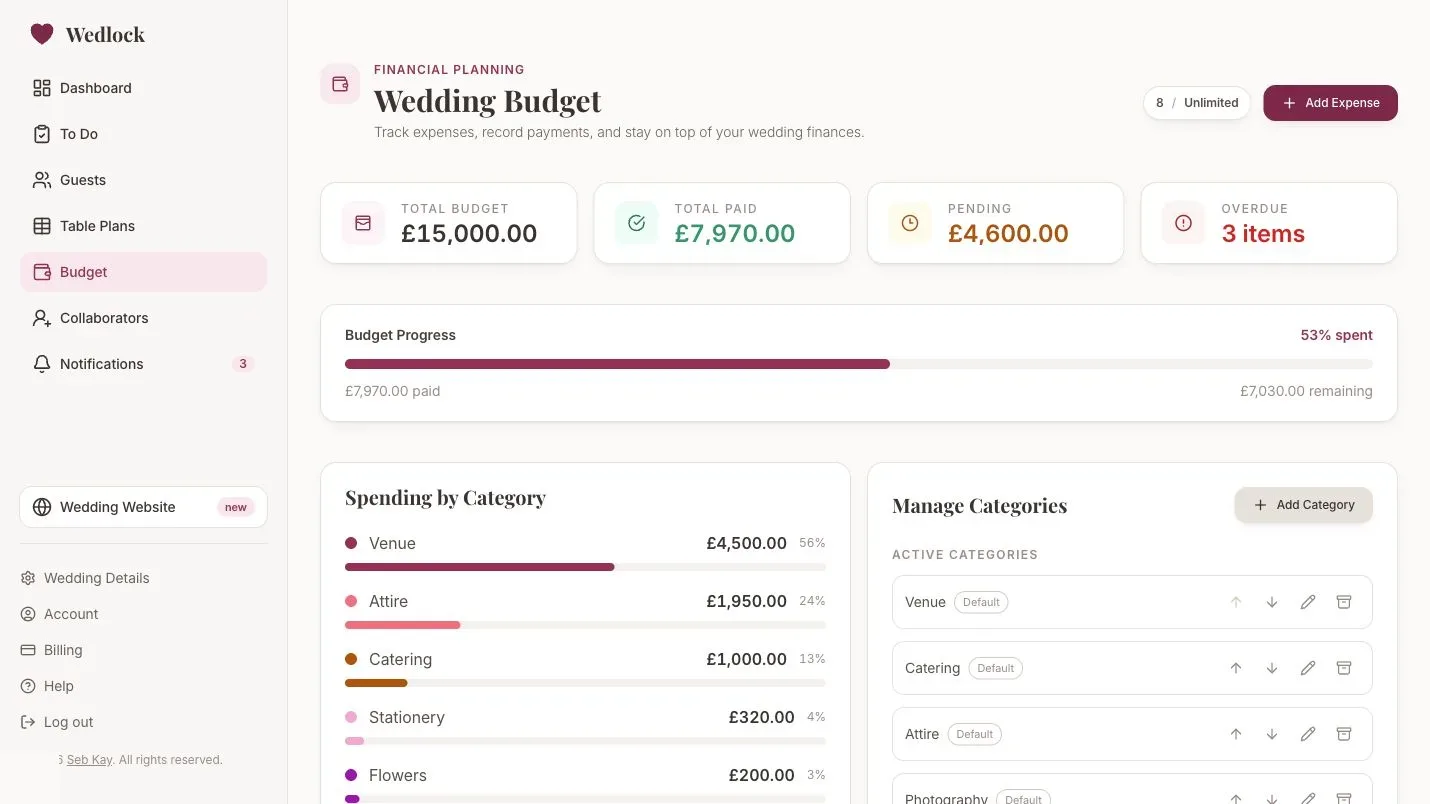
Budget Planner
Track categories, vendors, payments, due dates, and remaining balances together.
Learn more
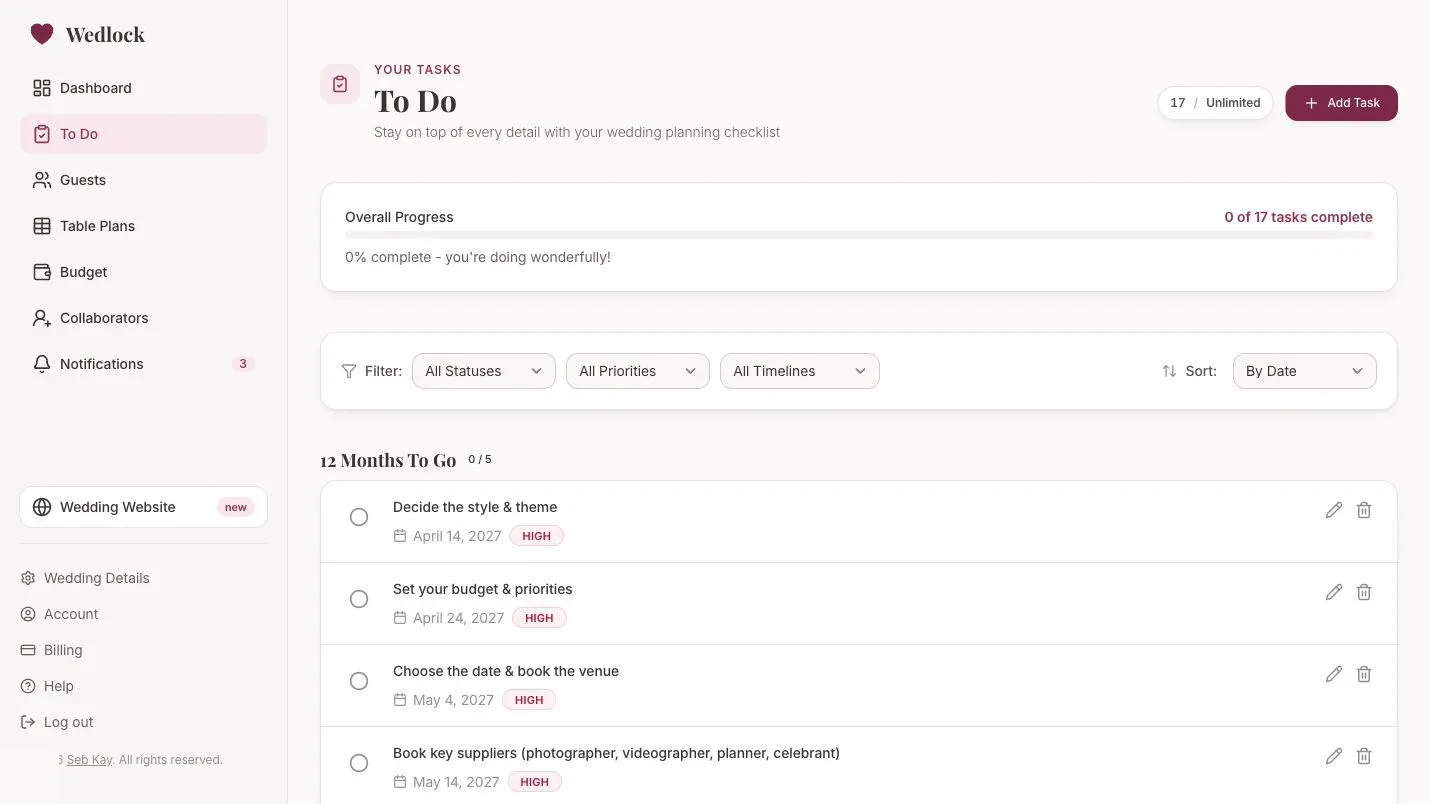
Wedding Checklist
Turn the plan into timeline-based tasks with clear progress and next actions.
Learn more
Switching over
Move from spreadsheet planning to connected planning
You do not need to perfect the spreadsheet before moving. Use it as the source for the first setup, then keep the live version in Wedlock.
-
1
Bring over the structure
Add the guest groups, core tasks, budget categories, and table names you already know.
-
2
Connect the live details
Start tracking RSVPs, dietary notes, payment dates, seating assignments, and task progress in Wedlock.
-
3
Invite help when the plan is moving
Use collaborators on Complete so your partner, family, friends, or planner can work from the same source.
Next step