A family sharing an invitation can have quite different plans. One person can make the wedding, another can only come to Sunday brunch, and they’ll each have their own meal choices.
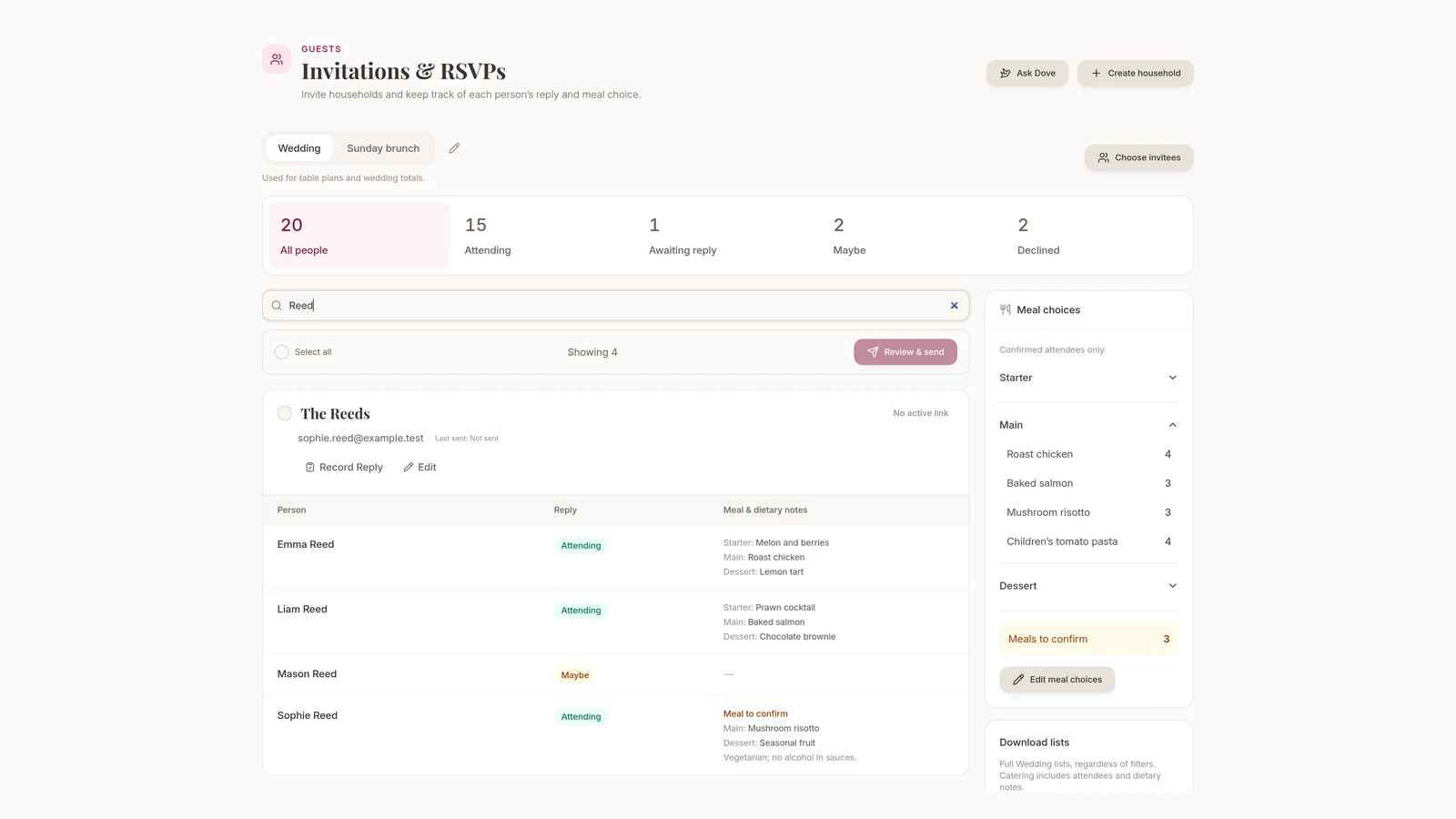
We’ve updated Guests in Wedlock to make that easier to organise. Use People to manage your guest list, then open Invitations & RSVPs to group people into households and collect their replies.
Send an invitation to a household
Add the adults, children and companions you’re inviting by name, then put the people sharing an invitation into a household. Choose who should receive the email and check the names before sending. Each person has their own guest record, including children and companions. Guests can only reply for the people you’ve added; they can’t add unnamed plus-ones themselves.
Your guest groups and table assignments stay as they are. People can share an invitation without belonging to the same group or sitting at the same table.
Your existing guests and individual RSVP links still work, including invitations you’ve already sent.
Let each person answer for each occasion
You’ll start with a Wedding occasion. If you’re also arranging Sunday brunch, add it as another occasion and choose who’s invited. A smaller brunch list won’t leave you with a long list of people who appear not to have replied.
Each person answers separately for the occasions they’re invited to, all through the same household link. You can see who isn’t invited, who hasn’t replied and who has declined.
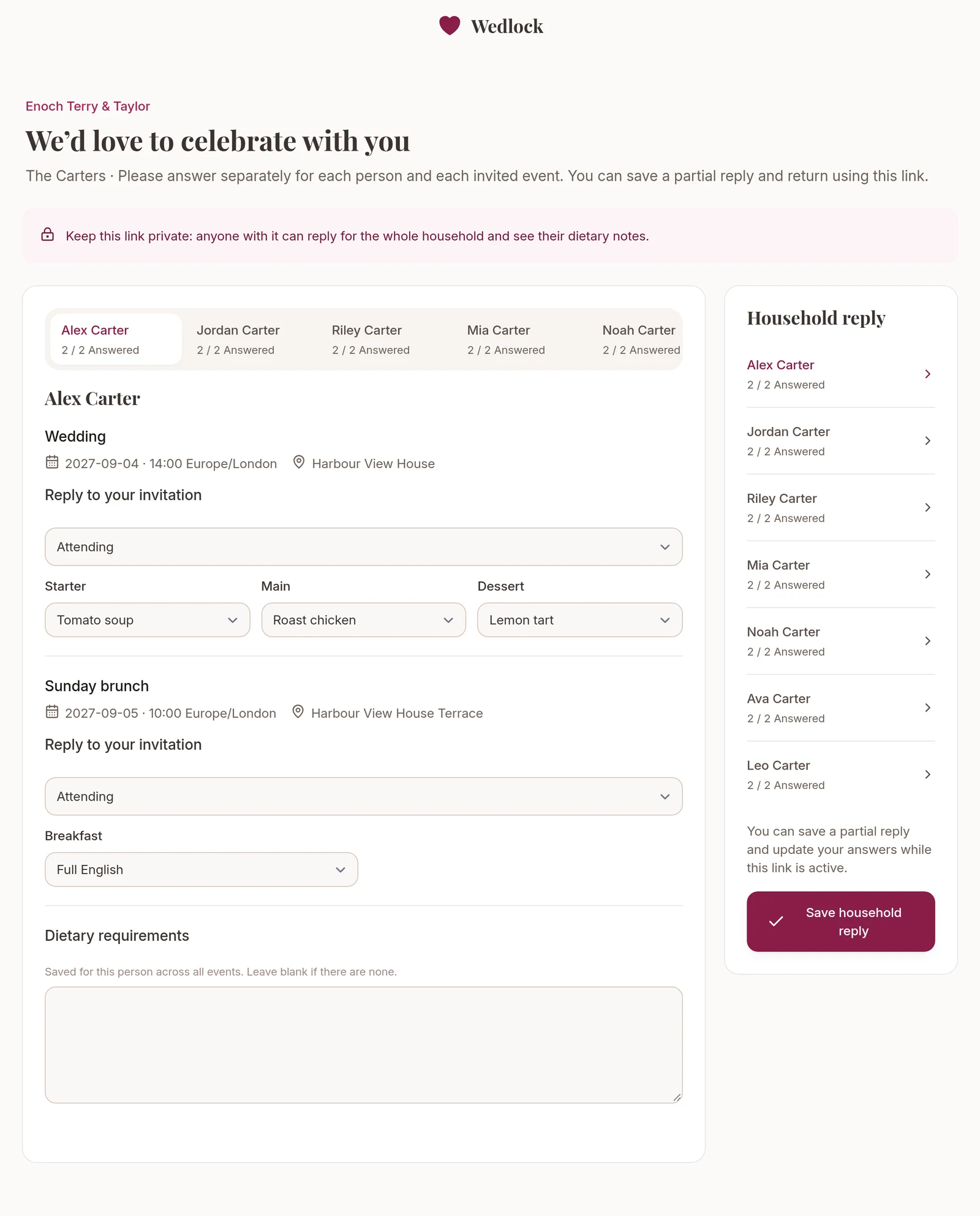
Guests don’t need a Wedlock account. They can come back through the link to finish a reply or change an answer while it’s valid. If someone phones instead, use Record Reply in the planner to enter their answers yourself.
Collect meal choices alongside attendance
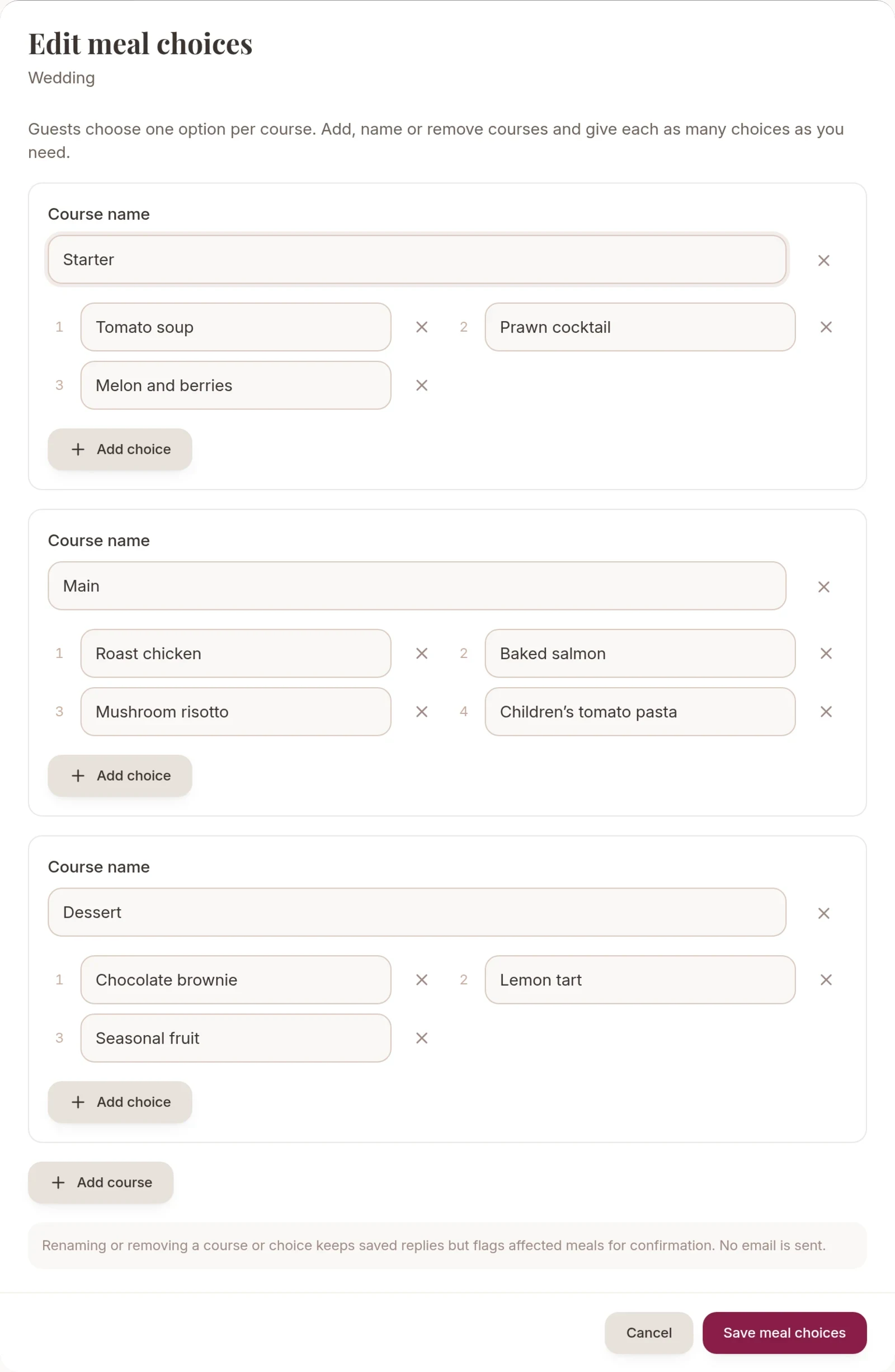
If you’re offering a choice of meals, add your courses and the dishes available for each one. Guests who are attending can choose a dish for each course and add their dietary requirements. Dietary notes stay with the person across all occasions.
Use Meals to confirm to find anyone who still needs to choose a meal. When your venue or caterer needs the numbers, download attendance and catering CSVs for the occasion you’re planning.
Your table plan uses attendance at the main Wedding occasion. Someone who’s only coming to brunch won’t be counted as attending the wedding.
Check who can use a shared link
Anyone with a household link can see and change the whole household’s replies and dietary notes. Share it carefully. If two people shouldn’t have access to each other’s details, put them in separate households.
Links expire after 30 days. You can send or resend the invitation email from the planner, or revoke a link to stop access if it reaches the wrong person. Guests can only return and make changes while their link is valid.
Included on Free and Complete
Household invitations, extra occasions and meal choices are included on both plans. Free still allows up to 25 guests. Every named adult, child and companion counts towards that limit, even if they share an invitation. Complete includes unlimited guests.
Open Guests in your planner to set up your households, or compare the plans if you’re new to Wedlock.