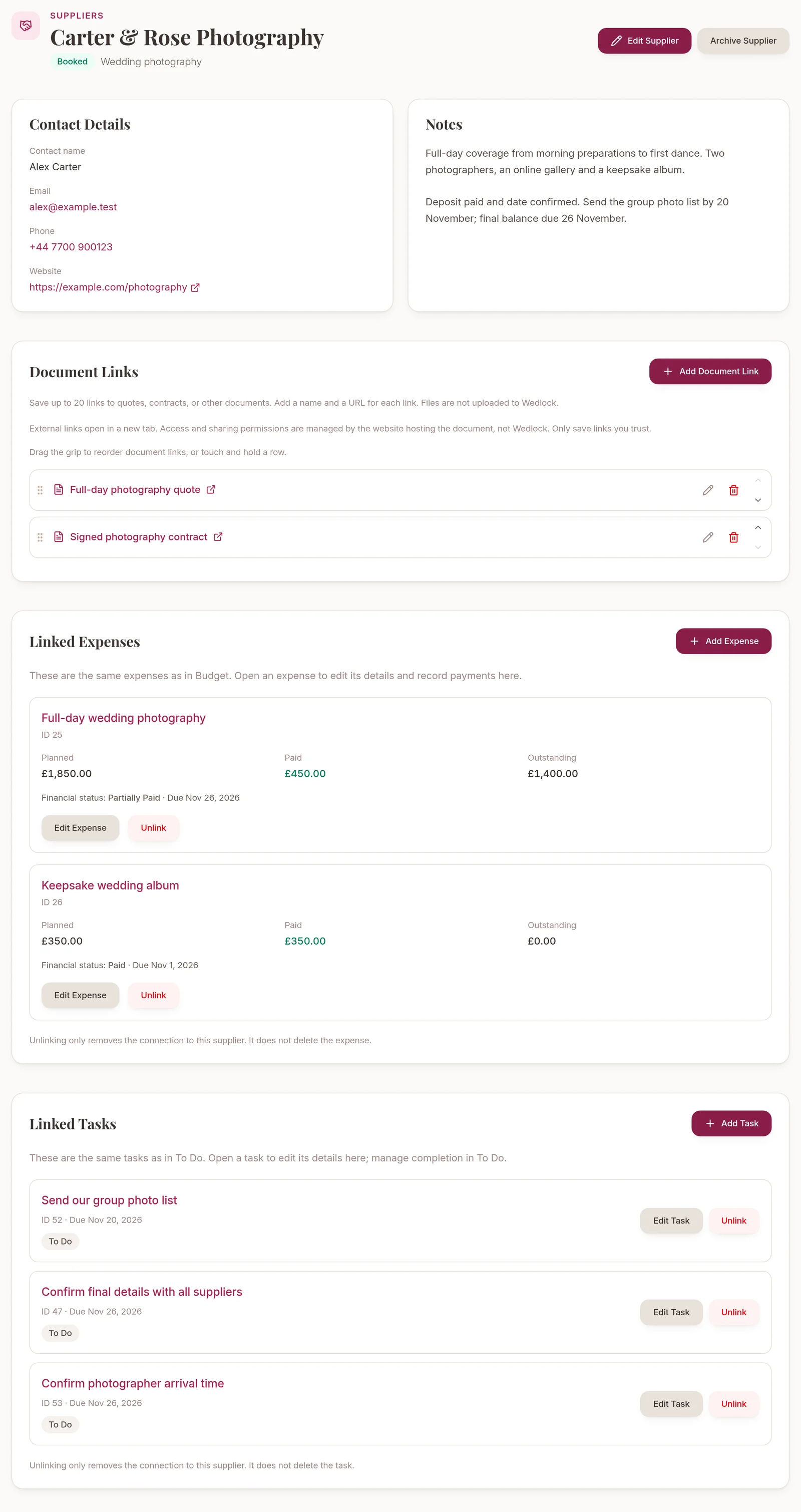
Once you start speaking to wedding suppliers, there’s quite a lot to keep track of. A photographer’s quote is in your inbox, the florist’s number is on your phone, and the reminder to confirm arrival times is somewhere on your to-do list.
We’ve added Suppliers to Wedlock so you can keep those details together. Each supplier has a page for their contact details, booking progress and notes, with links to the expenses and tasks you’re already managing in your planner.
Build a shortlist at your own pace
You can add a supplier as soon as you have a name. Everything else can wait until you know more.
Add the service they provide, a contact name, email address, phone number and website. Use notes for details you’ll want to remember, such as what a photography package includes or what you agreed during a venue visit.
Booking statuses help you see where each conversation has reached:
- Shortlisted
- Contacted
- Quote Received
- Booked
- Not Proceeding
You choose the status yourself. Marking someone as Booked doesn’t record a payment, and adding a payment doesn’t change their booking status.
Search your suppliers or filter by status when you want to find someone or see which enquiries still need attention.
Keep quotes and contracts easy to find
Save named links to documents on the supplier’s page. You might add a quote, a signed contract or the menu you’re discussing with your caterer. You can edit the links and reorder them so the ones you use most are easy to reach.
Each supplier can have up to 20 document links. These point to files stored elsewhere; Wedlock doesn’t upload or host the files. Access and sharing permissions stay with the service hosting the document, so check those settings before sharing a link.
Connect the costs to the supplier
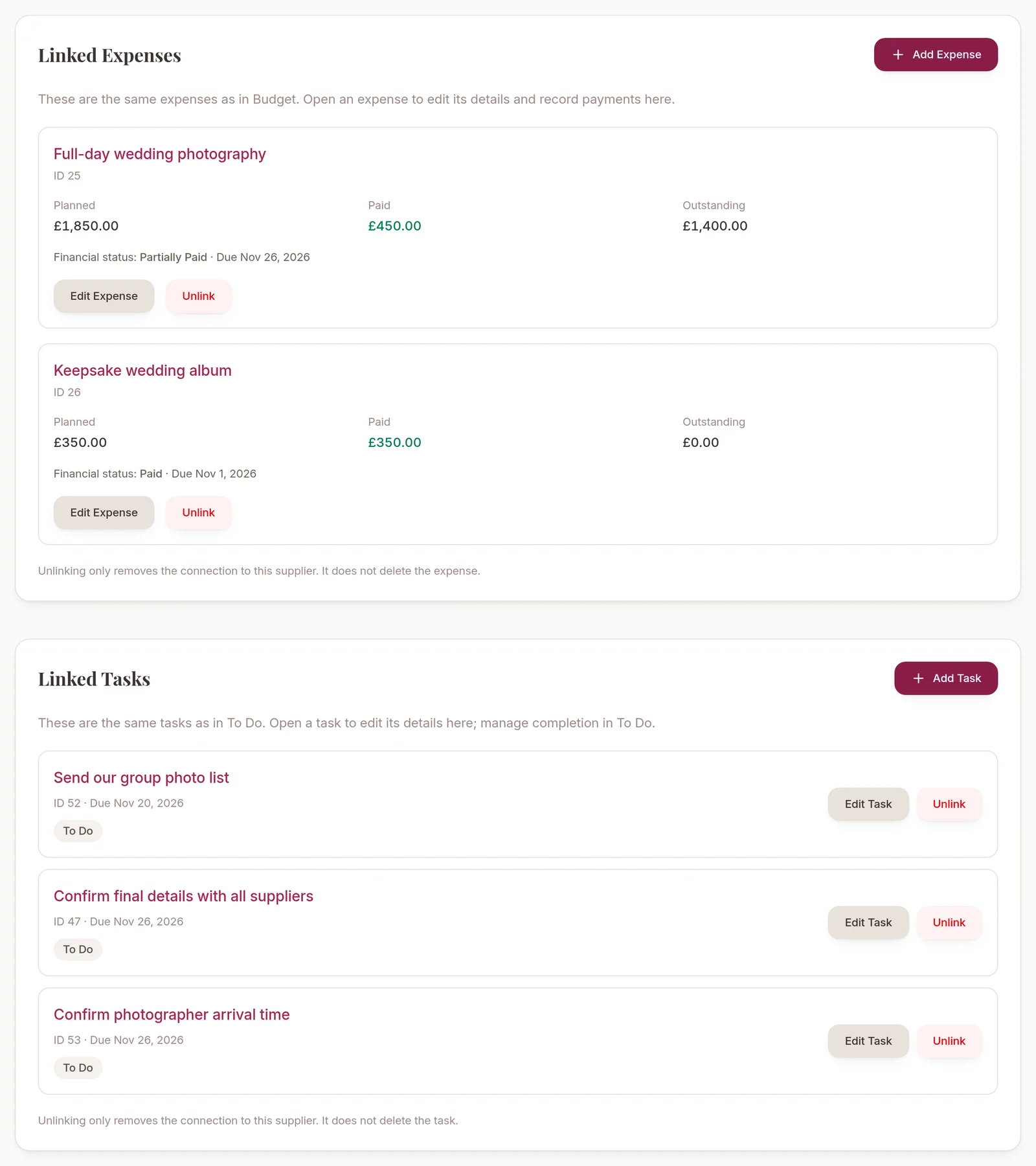
Link an existing Budget expense, or create a new one from the supplier’s page. The linked expense is the same record you see in Budget, so you don’t have to maintain a second version of the cost.
Open an expense to edit its details, view its payment history or record a payment without leaving Suppliers. You can see the planned amount, how much you’ve recorded as paid and what remains against that planned cost.
For example, you could keep your photographer’s contact details beside their photography expense and deposit payment. Recording a payment keeps your plan up to date; it doesn’t send money to the supplier.
Keep the follow-up tasks close by
Link tasks you already have in To Do, or create new ones from the supplier’s page. A task such as “Confirm photographer arrival time” can then sit alongside the contact details you’ll need to complete it.
You can edit the task’s details there. It remains part of your normal checklist, where you manage completion.
If you unlink an expense or task, it stays in Budget or To Do. You’re only removing its connection to that supplier.
Put old enquiries aside without losing them
When you decide against a supplier, you can archive them to keep your active list focused. Their contact details, document links and planning history are kept, and you can restore them later.
Suppliers is available on Free and Complete. Your existing plan limits still apply when adding expenses and tasks. It’s a place to organise the suppliers you’re considering or working with; enquiries and bookings still happen directly with them.
Open Suppliers in your planner to add your first contact, or create a free Wedlock account to start planning.